Track: Daily Habit Tracker
Visithabit-tracker-xi-gilt.vercel.app/welcomeA minimalist habit tracker that makes showing up fun by turning your daily check-ins into a GitHub-style contribution heatmap.
A minimalist habit tracker that makes showing up fun by turning your daily check-ins into a GitHub-style contribution heatmap.
I started coding this year, and Track is one of the first things I built for myself instead of as a tutorial exercise. I wanted a habit tracker that felt good on the days I showed up and didn't make me feel like garbage on the days I didn't. Most of the ones I tried run on streaks and guilt. I wanted the opposite; something that quietly rewards consistency and forgives the gaps.
The whole app is inspired by the GitHub-contribution-style heatmap. When I was learning to code, the contribution graph was so effective in seeing my own effort turn into something I could visualize immediately: a grid filling in, square by square. It was almost embarrassingly motivating. I'd push a tiny commit just to keep a square lit :) I wanted to replicate that excitement for the things I do away from the digital world: drinking enough water, getting the steps in, taking my daily vitamins, and regularly expressing gratitude. Track turns each check-in into a square, and a month of showing up turns into a shape you can visualize immediately.
The part I love: you build your own cover. This is my favorite detail. You choose whatever images get you most fired up, and you see them every time you open the app to log in your habits. Mine is a wall of people at their moment: Tiger Woods winning the Masters, Martin Lurther King Jr. at the Lincoln Memorial, Man United lifting their Champions League trophy, a rocket clearing the tower.
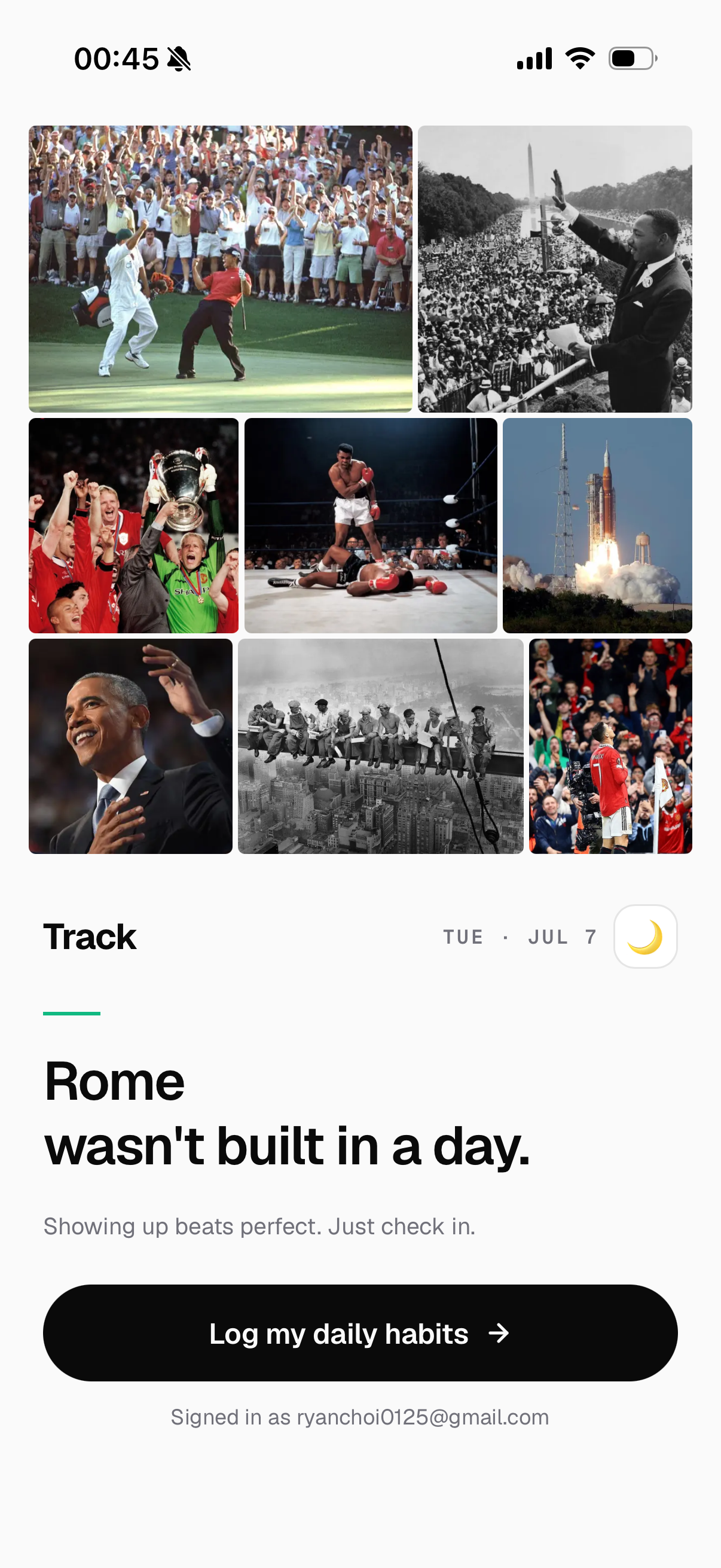
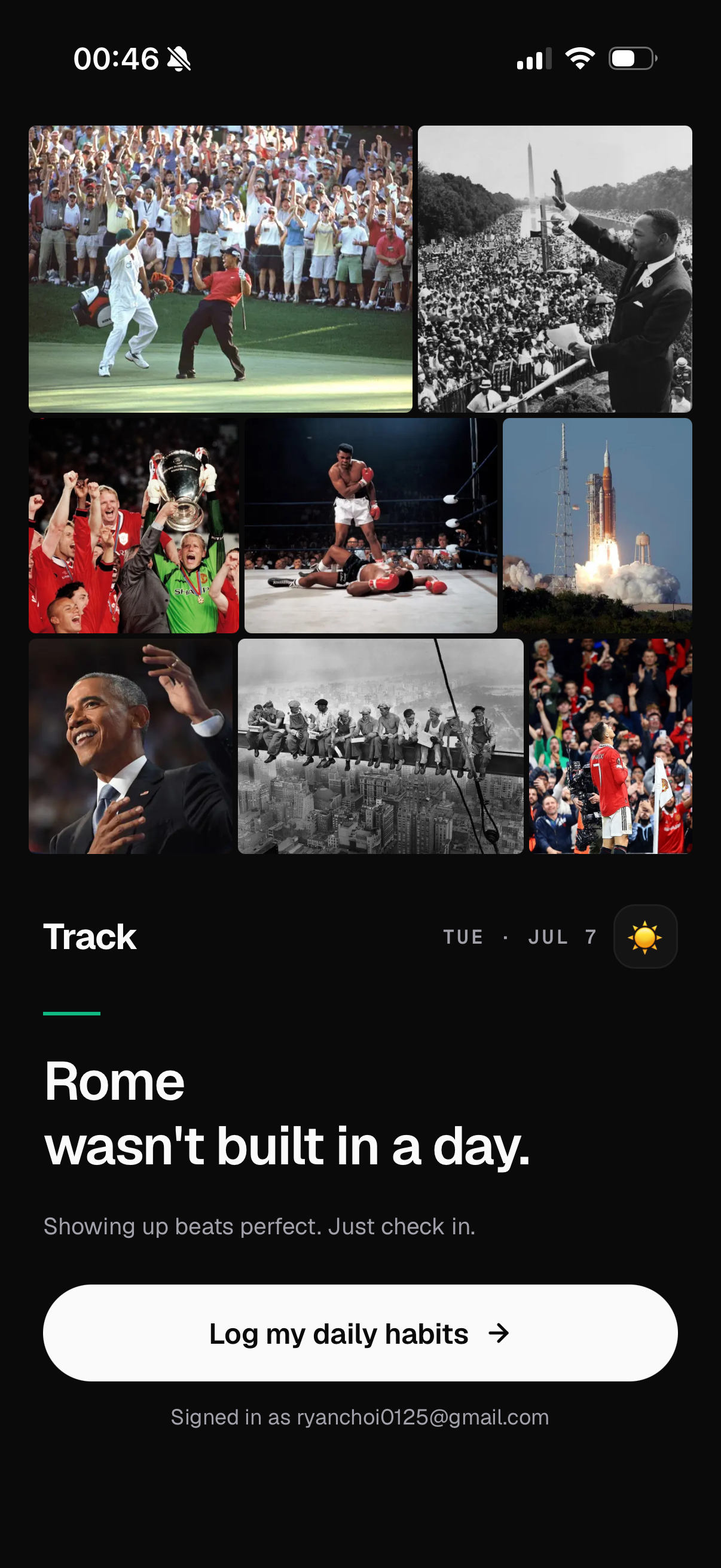
After all, it's just a cover. But opening the app to something that actually moves you does more for consistency than a push notification ever has!
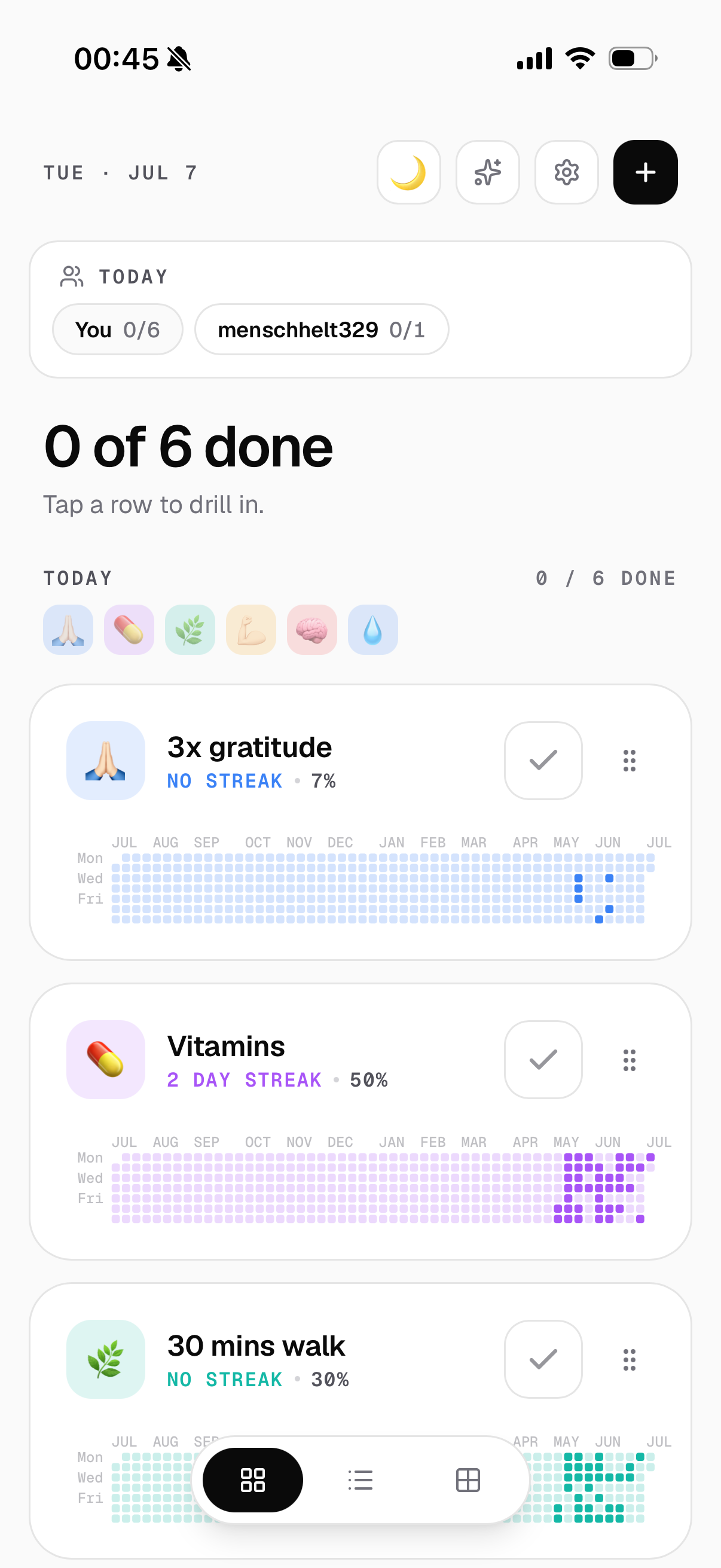
The home screen opens on today with each habit as its own card and its heatmap sitting right there on the card, so progress is never more than a glance away. Tap any row to drill in (there's also a light social touch up top if you want to track habits together with your friend).
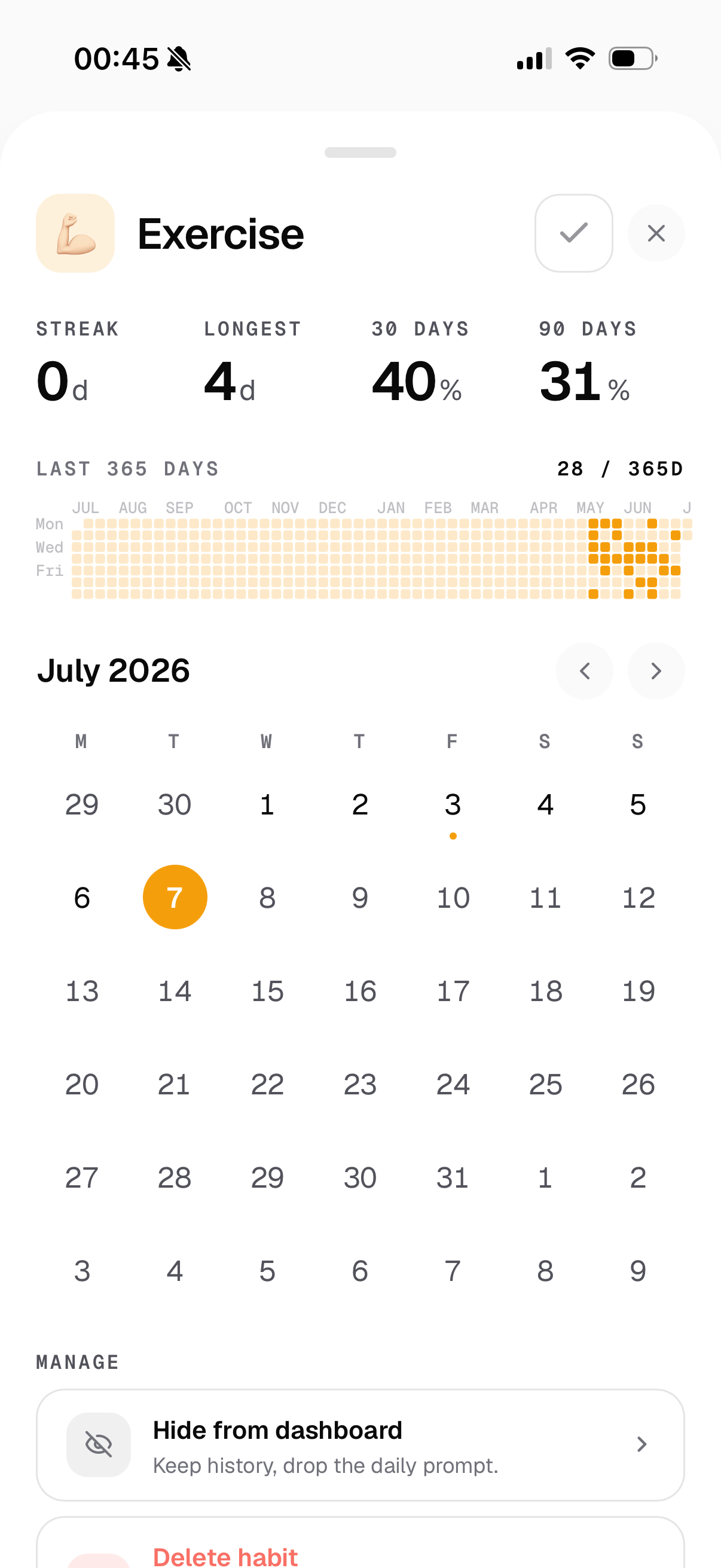
Open a single habit and you get the full picture: current streak, longest streak, 30- and 90-day completion rates, a full 365-day heatmap, and a month calendar you can page through. This is where the heatmap earns its keep — a whole year of one habit in a single look.
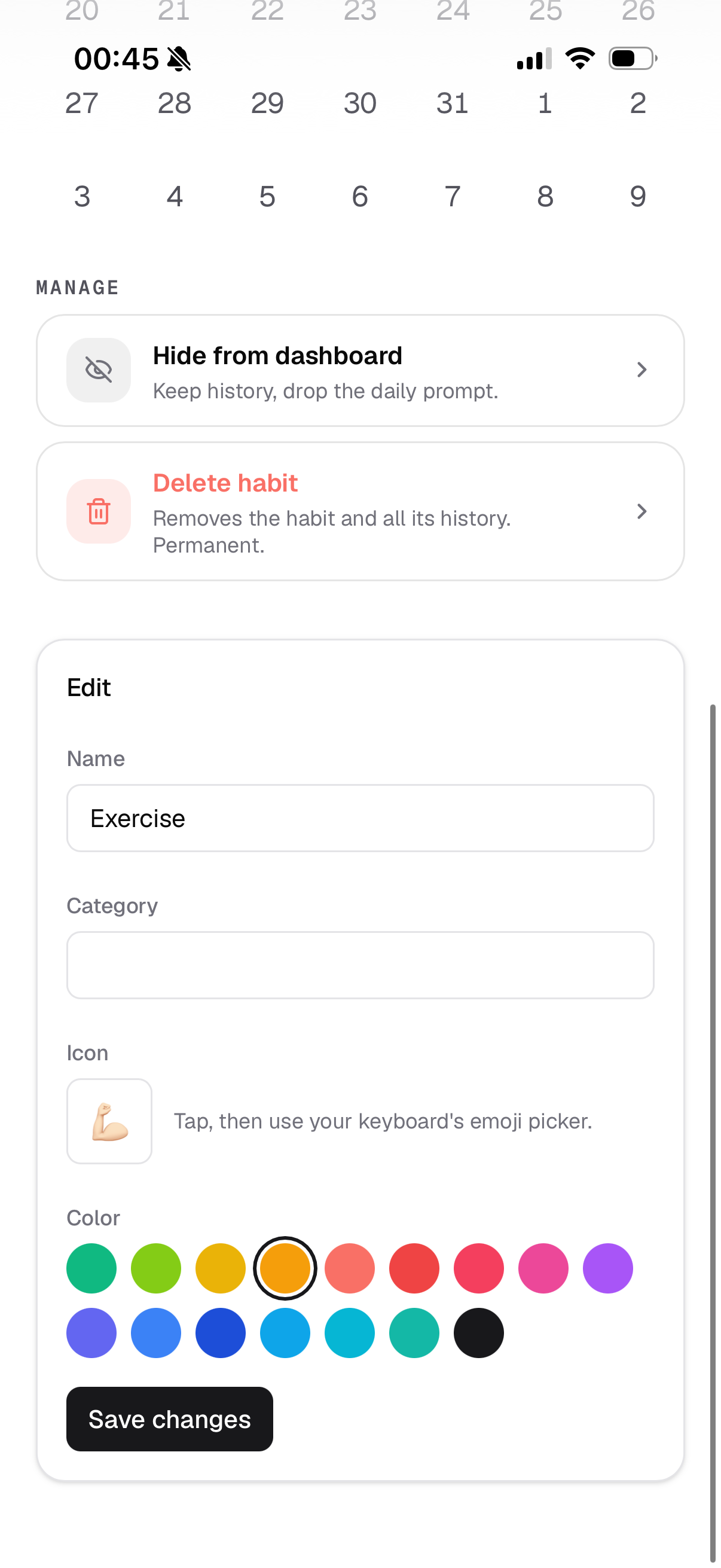
Every habit is editable: name, category, an emoji for the icon, and a color that flows through its heatmap. You can also hide a habit while keeping its history, or delete it and its history for good.
There are three ways to look, and I switch between them by mood. The list view squeezes the last 7 days (or 5, or 14) into one tidy row per habit. I use it as a quick did-I-actually-do-it check on the week.
The overview lays each habit's month out as its own mini-heatmap, all side by side. This is the one that scratches the GitHub itch hardest.
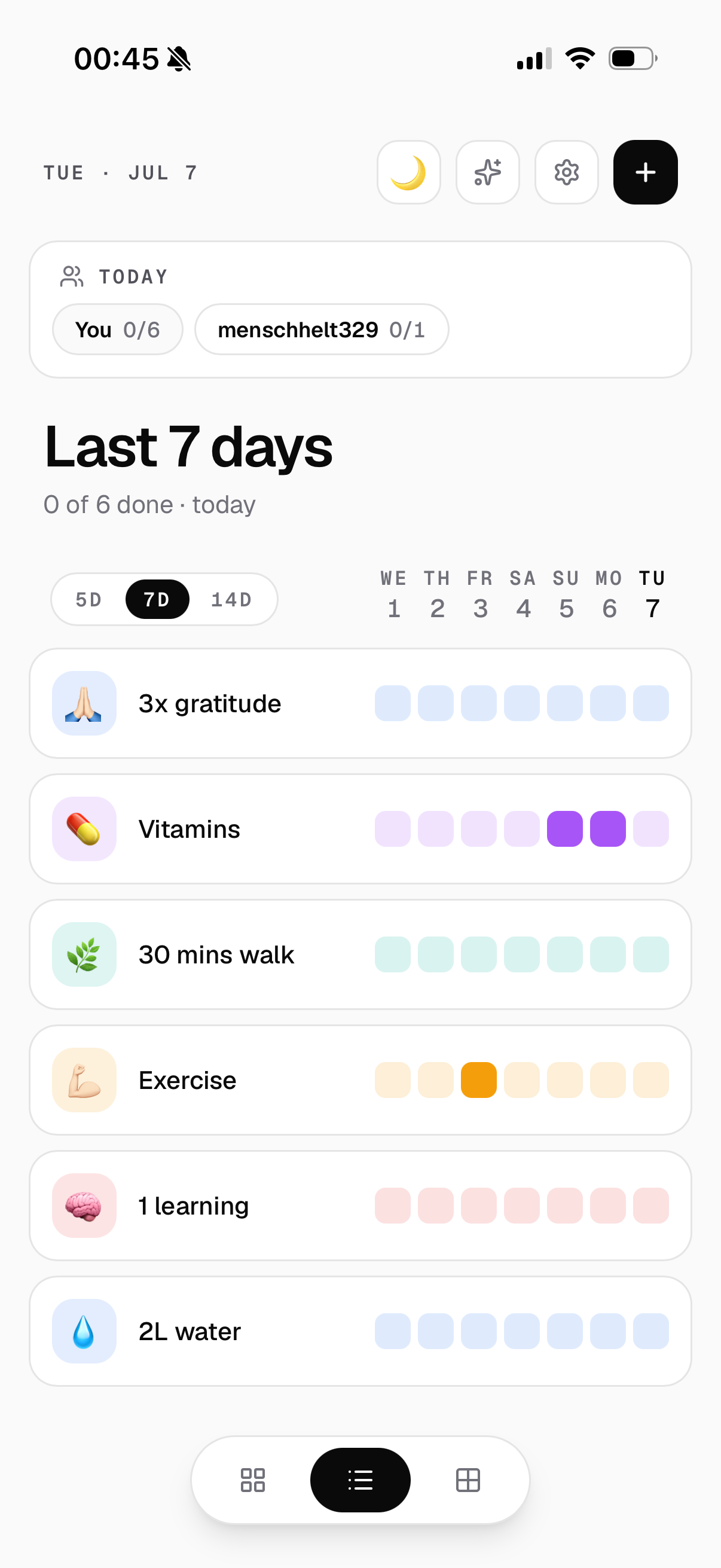
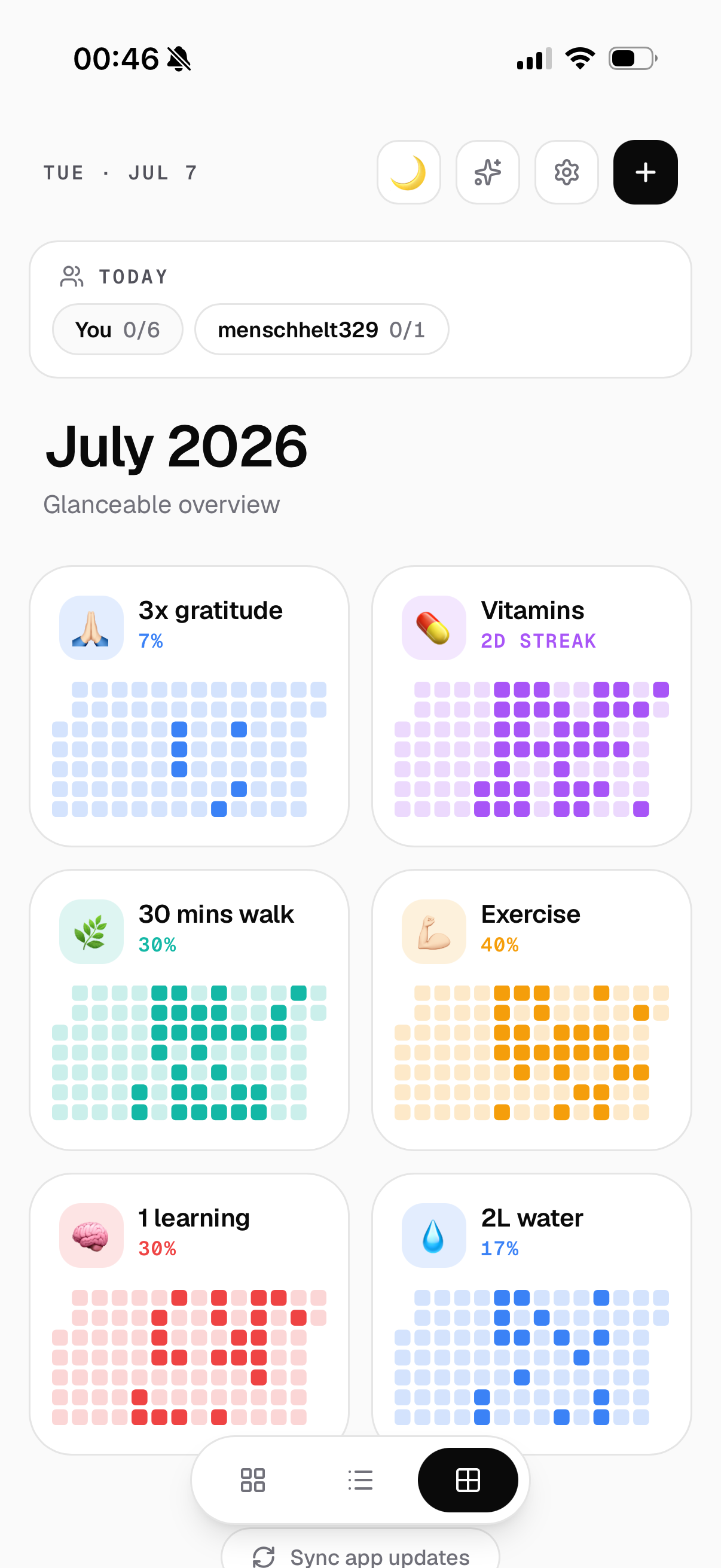
Funnily enough, if you look closely at these shots, you'll notice I haven't exactly been crushing it lately — a lot of empty squares in the recent stretch. I've been heads-down building other things. But that's kind of the point of how it's designed: the empty squares don't scold me, and the whole pitch is sitting right there on the welcome screen.
Showing up beats perfect. I'll get tomorrow's square!